

Welcome to TestBrick
TestBrick tests your web app the way a person would — in a real browser — without you writing any test code. You describe what to test in plain words. Bricklayer, TestBrick’s AI builder, opens your app, does the steps, and saves them as a test. After that, TestBrick replays the test on its own, on a schedule if you like, and tells you when something breaks — and why.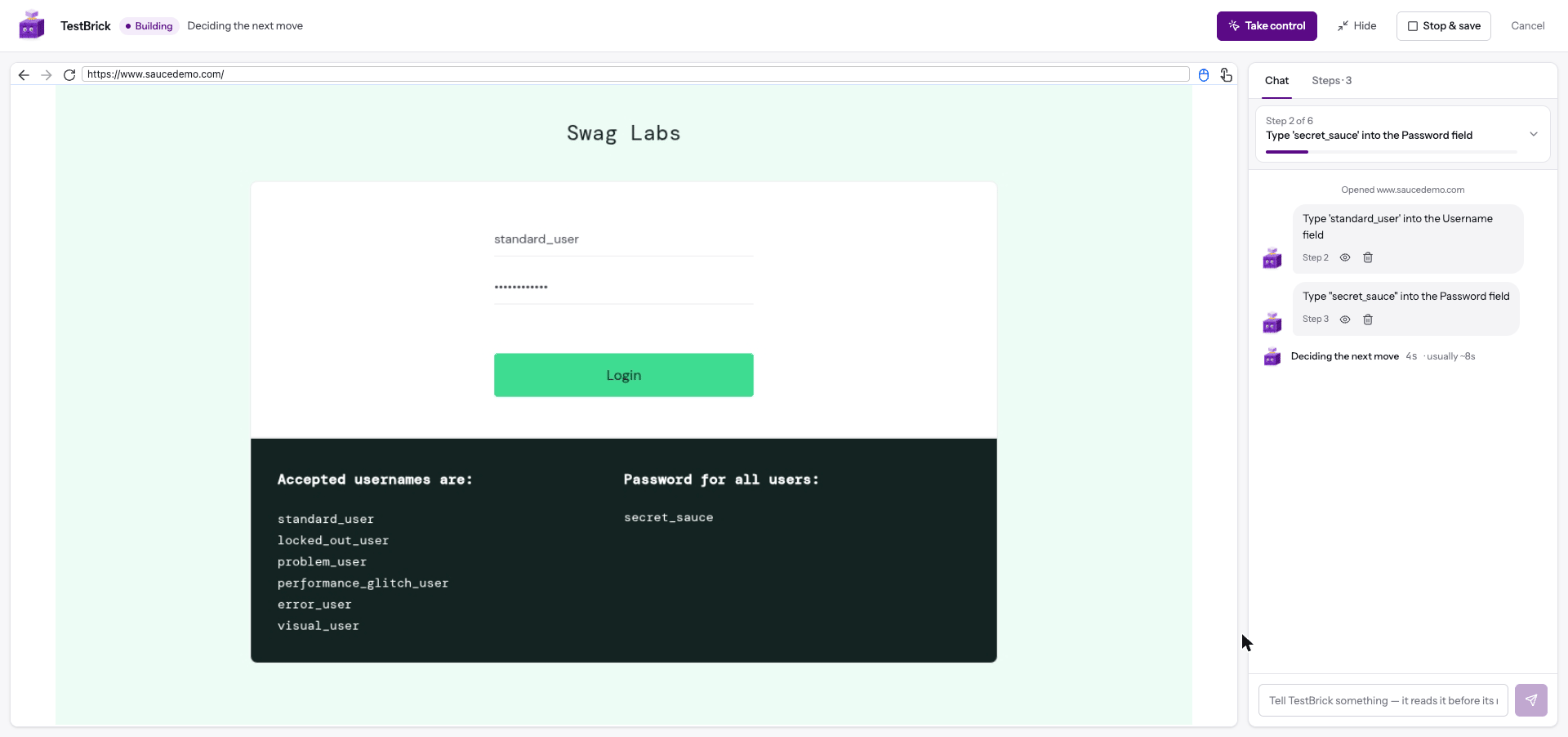
Two kinds of tests
Browser tests
Describe a flow — sign up, log in, check out — and Bricklayer builds it in a real browser. Emails, one-time codes and authenticator codes included.
API flows
Chain API requests on a visual canvas. Pass data between them, check the responses and share the results with one link.
What you get
- No code — describe the test in plain words, or build API flows visually
- Watch it live — see the browser while your test is built and while it runs
- Email and codes — sign-up emails, one-time codes and verification links are handled for you
- Authenticator codes and PINs — store them once as Secrets; tests type them by name
- Why it failed — every failed run starts with a plain-English reason
- Monitoring — run tests every few minutes and get an email or Slack message when they break or recover
- Shareable results — one link shows exactly what happened, step by step
- Team workspaces — share projects and tests with your team
Get started
Create a project
Set up a project in 30 seconds
Your first test
Describe a flow and watch it get built
Watch it every hour
Turn a test into a monitor with alerts