

Editing steps
Open a test to see its steps on the Test Scripts tab. Each row shows what the step does, the value it types or expects, a picture of the page, and how it did in the last run.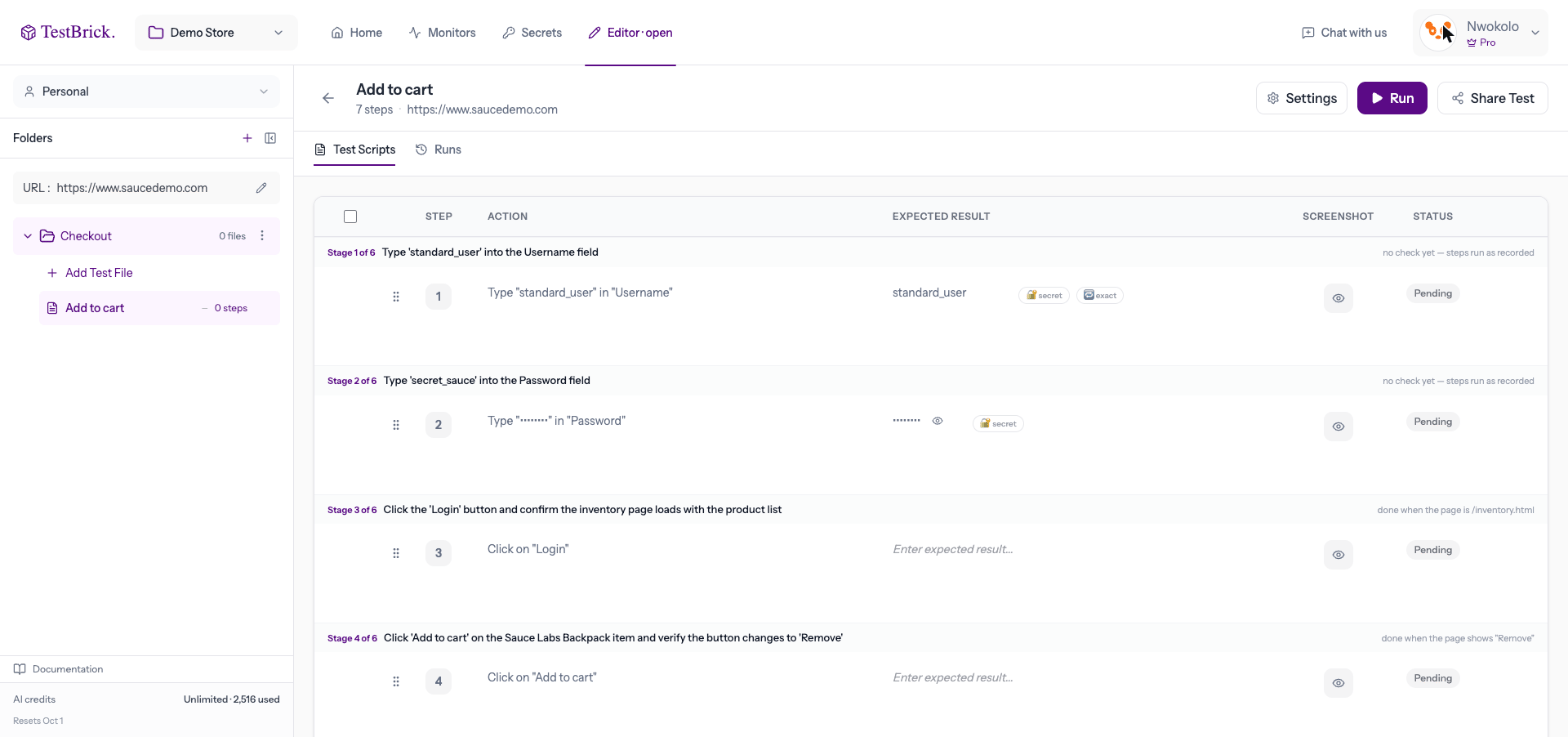
Managing steps
- Edit — click a step’s text or value to change it
- Reorder — drag a step by its handle
- Delete — use the bin on a step, or tick several and delete them together
- Insert — hover between two steps and click + to add a Wait or Remember a number step
- Mark optional — the test carries on if an optional step can’t be done (handy for cookie banners that don’t always appear)
Values that change each run
Some apps only accept a value once — a sign-up email, a username, a phone number. The chip next to a typed value switches it between:- exact — types the same value every run (right for logins)
- unique each run — keeps the shape of your value but changes part of it every run, so a re-run never hits “already exists”
- relative date — for dates, types a day relative to the run day (for bookings that can’t reuse a past date)
Secrets in steps
Click the 🔐 chip on a typed value to type a stored secret there instead — a PIN, a password or a fresh authenticator code. The step then shows the secret’s name, never its value. See Secrets & 2FA.Remember a number, compare later
To check that something changed by the right amount — a wallet balance after a transfer, a cart total after adding an item:- Insert a Remember a number step before the action. Give it the label on the page (for example “Wallet balance”) and a name (for example
balance_before). - Later, add a check that the numbers add up, for example
balance_after = balance_before - 500.
Test settings
Click Settings on a test to change:- Test URL — where the test starts (defaults to the project’s address)
- Viewport — desktop or mobile
- Email — Dynamic gives every run a fresh inbox address (for sign-ups); Static types exactly what was recorded (for logins)
- Timezone — the clock the test browser uses, so “today” means the same as it does for your users