Assertions
Assertions validate that your API returns the correct response. Add them to any API request block to automatically verify the results.
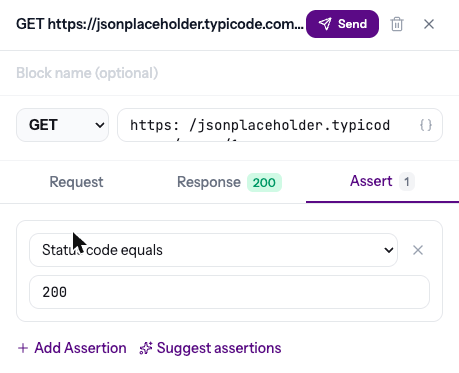
Adding assertions
- Click a block to open the side panel
- Go to the Assert tab
- Click + Add Assertion
- Select the assertion type and enter the expected value
Assertion types
Not sure what to check? Click Suggest assertions and AI proposes checks based on the real response. You pick which to keep.
Results
After running, each assertion shows:
- Pass — green checkmark with the actual value
- Fail — red X with expected vs actual values
Failed assertions turn the block red on the canvas, making it easy to spot issues.
Block indicator
Blocks with assertions show a shield icon on the canvas with the assertion count, so you can see at a glance which blocks have validation.
Start with a simple “Status code equals 200” assertion on every block. This catches obvious failures immediately.

