

Running tests
Click Run on a test to run it in TestBrick’s cloud browsers. You can watch the run live, and the result lands on the test’s Runs tab.The result
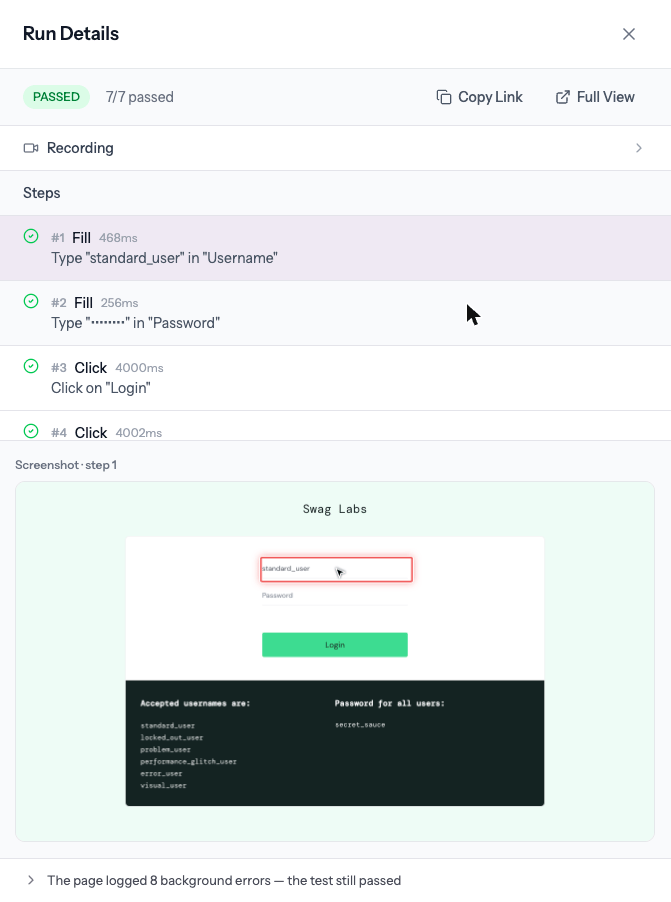
Open a run from the Runs tab to see:- Passed / failed and how many steps passed
- The recording of the whole run
- Each step with its time and a picture of the page
- Errors on the page — console and network errors the app logged (a run can pass even when the page logs background errors; they’re shown folded away)
Why it failed
A failed run opens with a short, plain-English reason at the top — which step, what went wrong, and what the app said when it said something.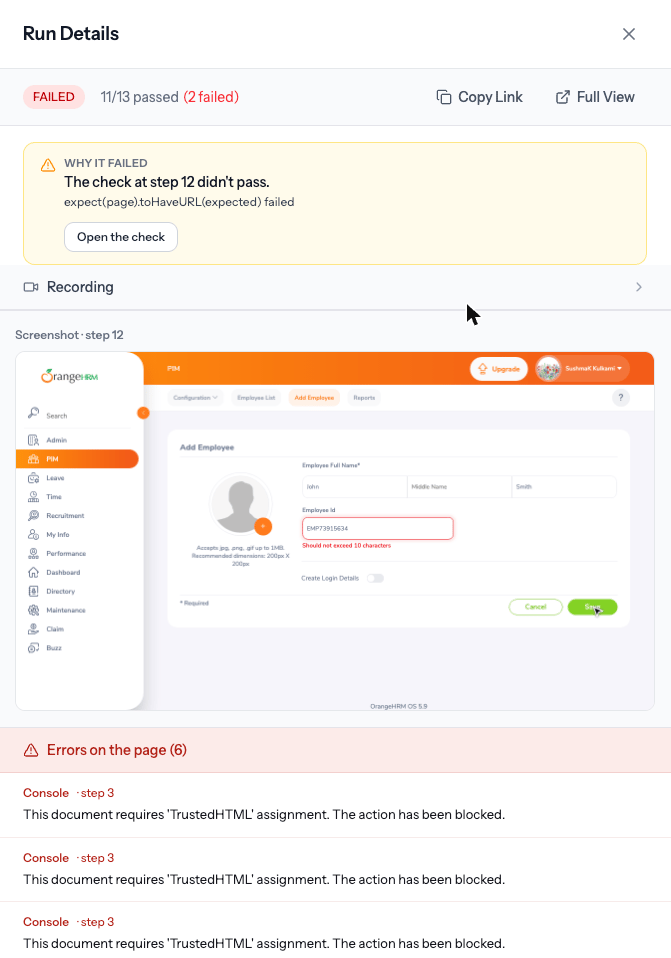
When there’s a likely fix, a button offers it right there — for example Make step 4 unique each run when the app says a value “already exists”, Delete step 6 when a step is a leftover repeat, or Rebuild this test when the page changed a lot. Nothing changes until you click.