

Building tests with Bricklayer
Bricklayer is the AI that builds your browser tests. You tell it what to test; it drives a real browser, records each step it takes, and hands you a test that TestBrick can replay without any AI.Writing a good brief
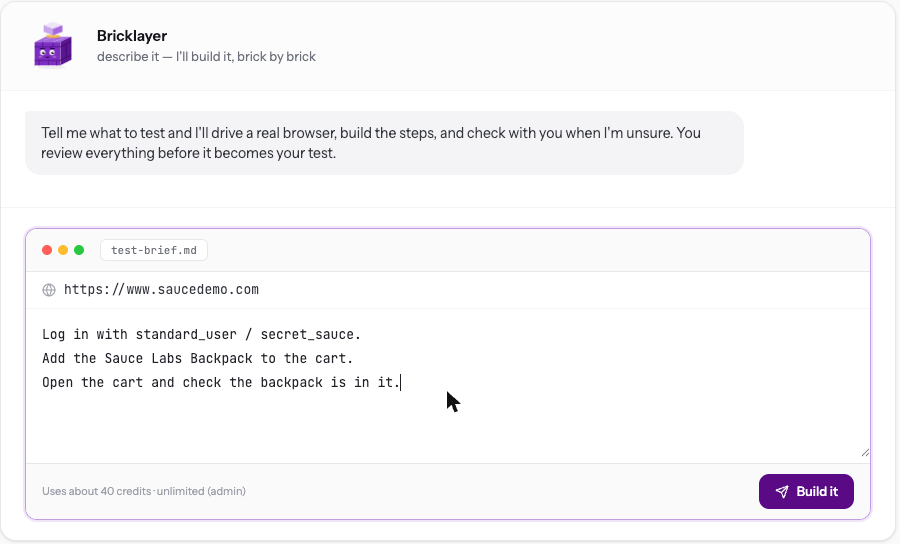
Write the flow the way you’d explain it to a new teammate. One line per step works well.- Say how it ends. “Check the order confirmation page shows the order number” gives Bricklayer something clear to prove.
- Give logins it needs — or better, store passwords, PINs and authenticator keys as Secrets and just name them.
- Leave out the email. If a flow needs an email address, Bricklayer uses a TestBrick inbox so it can read the code or link that arrives. See Email & codes.
- One journey per test. “Sign up” and “change password” are two tests.
While it builds
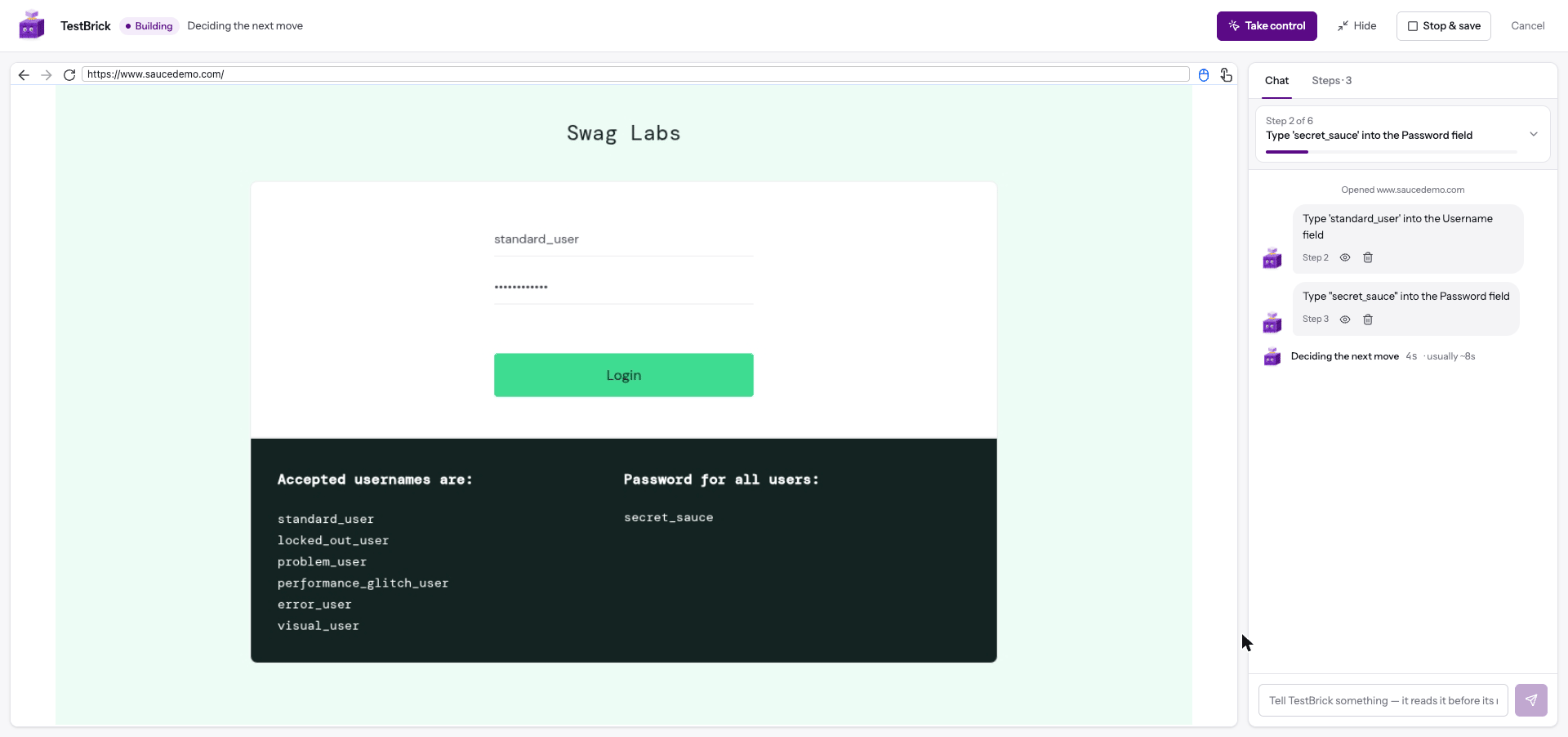
- The live browser on the left shows what Bricklayer is doing right now.
- The chat on the right lists each step it saved. Click the eye to see the page at that step; click the bin to drop a step you don’t want.
- Type in the chat to steer it — “use the second product instead”, “the button is under the menu”. It reads your message before its next move.
- When it’s stuck, it says exactly what’s confusing it and asks you.
- Take control lets you do a tricky part yourself in the live browser — a hard-to-reach menu, a drag-and-drop. Your steps are saved too, marked “you did this”. Hand back when you’re done.
- Stop & save ends the build early and keeps the steps so far.
- Hide tucks the build away; it keeps going and you can come back to it.
Bricklayer never pays, sends money or deletes things on its own initiative beyond what your brief asks for.
Confirming the checks
When it’s done, Bricklayer shows how it will prove the flow still works on every future run — usually where the flow ends and what the final page shows. Keep the checks you agree with. It also lists the values it typed. Switch a value to unique each run when your app only accepts it once (a new email, username or phone number on a sign-up). Leave logins exact — the same account is the point there. Click Save & verify my test.The first replay
TestBrick then replays the new test once, straight away, without Bricklayer. This proves the test runs on its own.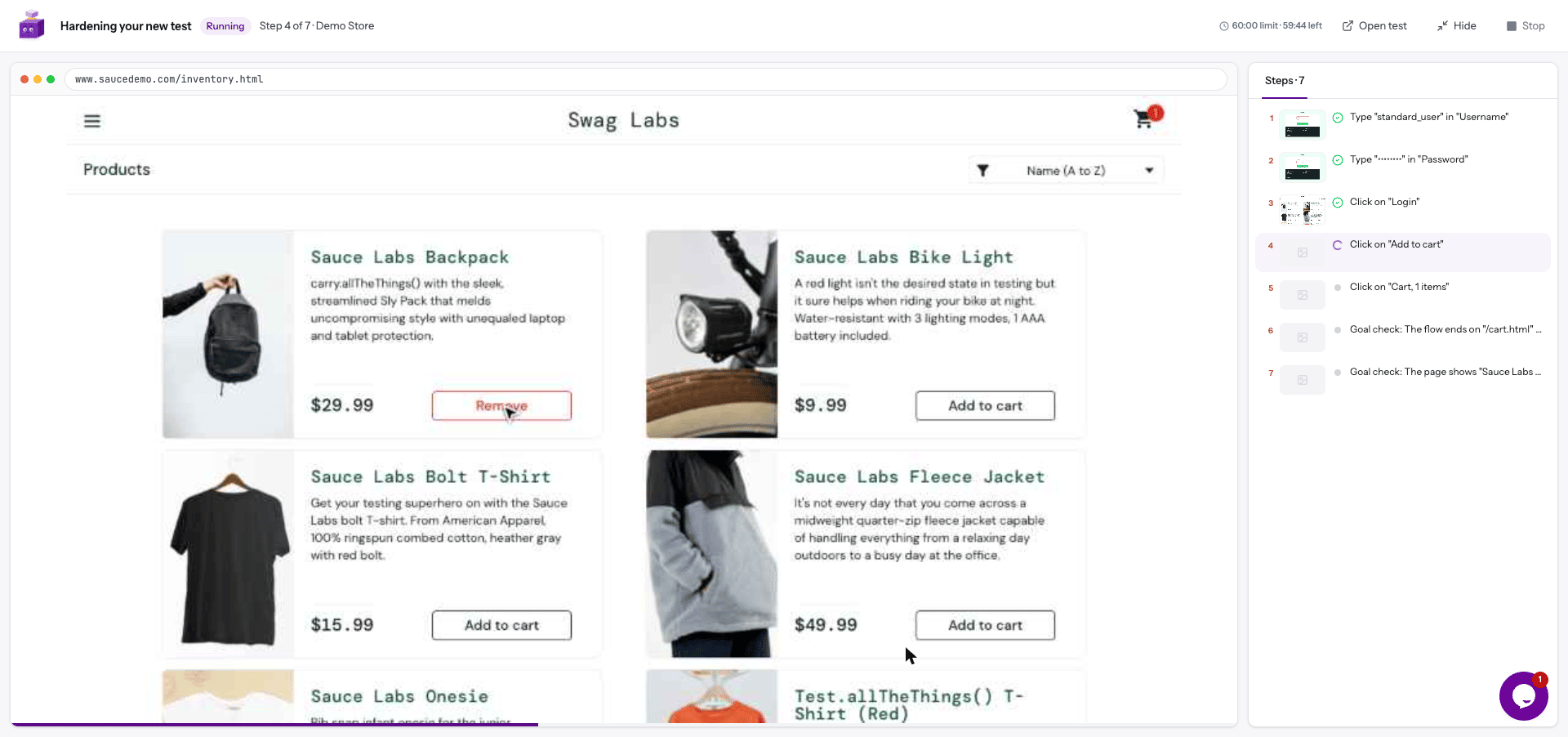
- Green — your test is saved and ready.
- A check failed — you see which one and why, and can fix it before relying on the test.
Stages
Bricklayer also saves the stages of your flow — for example “log in”, “add to cart”, “open the cart” — with how to tell each one is done. They appear as headers above the steps.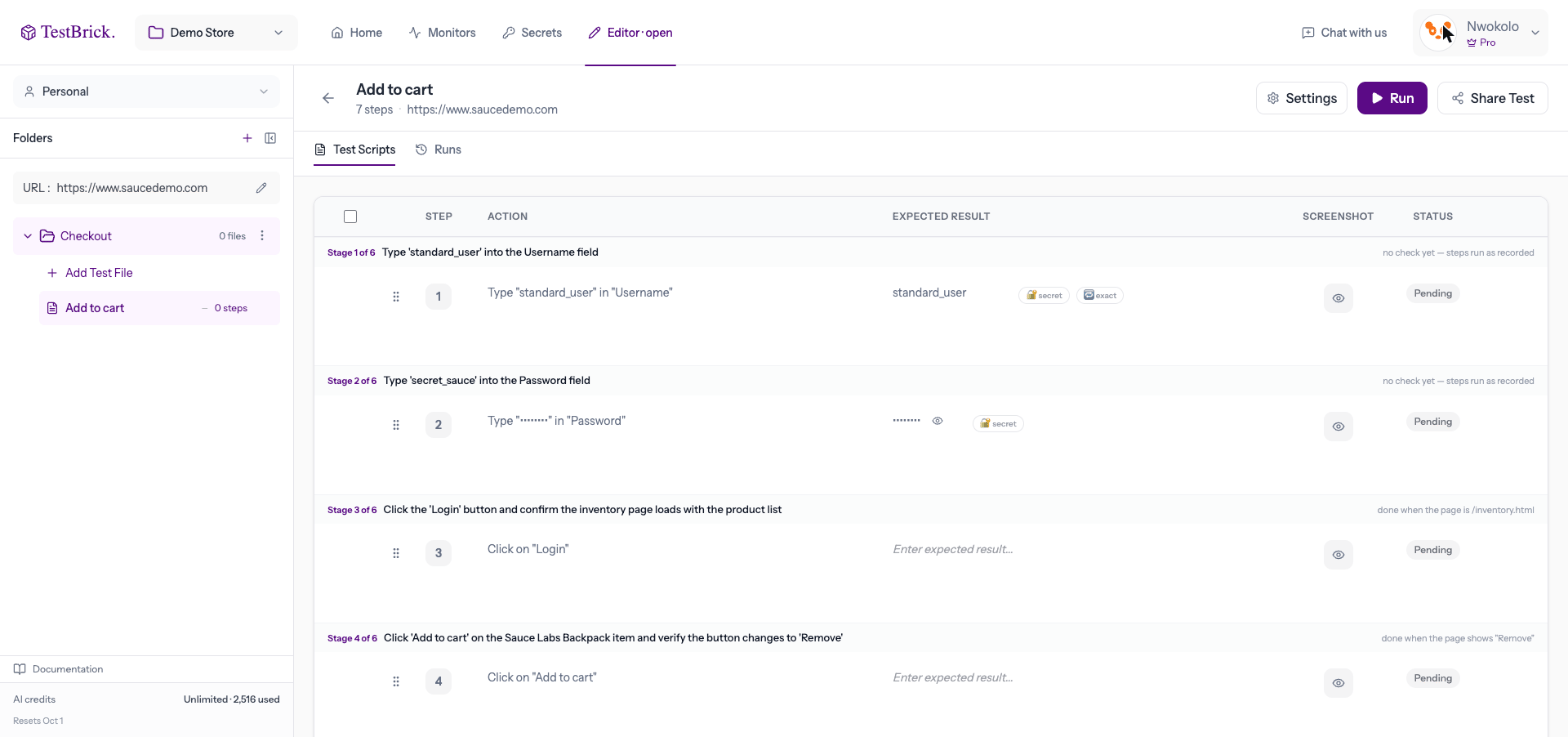
- If your app changes and a stage is already done (say, a welcome screen was removed), its leftover steps are skipped instead of failing.
- If a run can’t get past a stage, the result says “stuck at stage 3 of 5” instead of a vague error.
- If a run finds a new way through a stage, it offers to save the new way — you decide.