

API Flow Testing
API flow testing lets you build multi-step API tests on a visual canvas. Connect blocks, pass data between requests, and see results in real-time.Why API flows?
Real API workflows aren’t single requests. It’s: create a user → verify email → get auth token → create data → verify it saved. Each request depends on the one before it. TestBrick lets you build these flows visually — no code, no scripting.Three ways to start
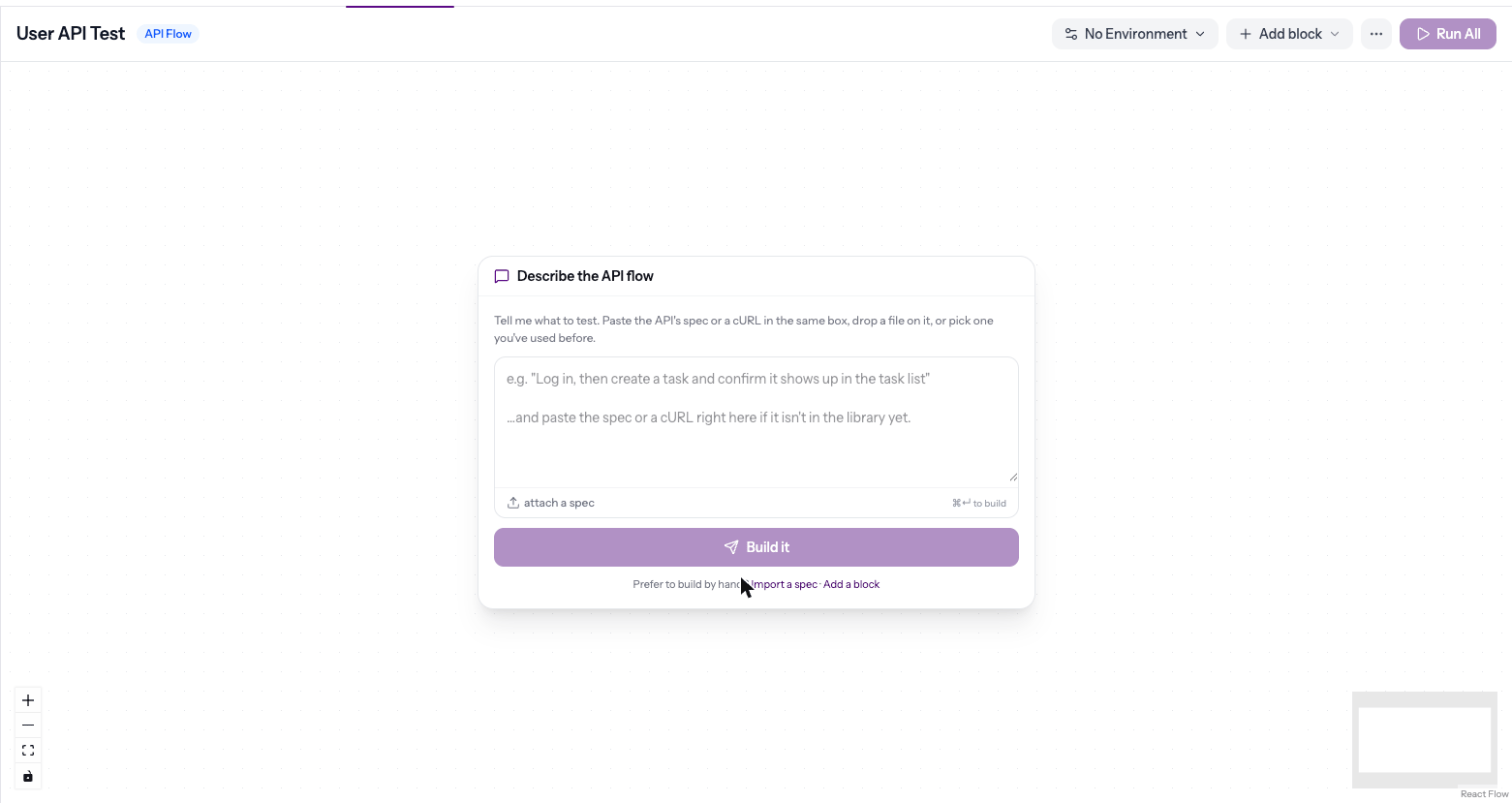
- Describe it — write what to test (“log in, create a task, check it shows in the task list”) and click Build it. Paste your API’s spec or a cURL command in the same box, or attach a spec file, and AI builds the blocks for you.
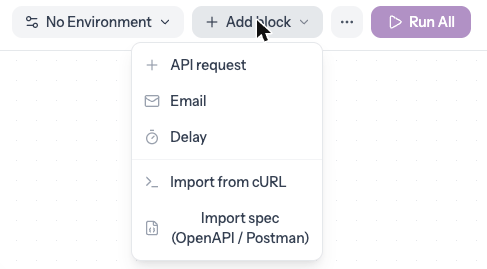
- Import — Add block → Import from cURL or Import spec (OpenAPI / Postman).
- By hand — Add block → API request, Email or Delay.
Chat and versions
Click Chat on a flow to ask about it or change it in plain words — “also check the task’s status is done”, “rename the project to Q4 roadmap”. Changes are proposed first; nothing changes until you apply them. Every applied change is saved as a new version, and the version button (for example v3) lets you look back.More on the ⋯ menu
- Run history — every past run of the flow
- Copy share link — share the latest result
- Copy inbox address — the TestBrick inbox for email blocks
- Export as Playwright test — download the flow as code, if your team wants it in its own test suite
Core concepts
Block types
API Request
Make HTTP requests — GET, POST, PUT, PATCH, DELETE. Configure headers, body, auth, and assertions.
Wait for emails, extract OTP codes or verification links, and assert email content.
Delay
Pause the flow for a specified number of seconds. Useful for rate-limited APIs.